Browse notes
Tokens & Context
Tokens and tokenization
A token is one unit of the representation processed by a model. It may be a complete word, part of a word, punctuation, or whitespace. The split depends on the tokenizer associated with the model.
Tokenization turns text into tokens and then into vocabulary identifiers. In the documented BERT base cased example below, Transformer becomes the two subwords transform and ##er. The visual also shows each token’s vocabulary ID.
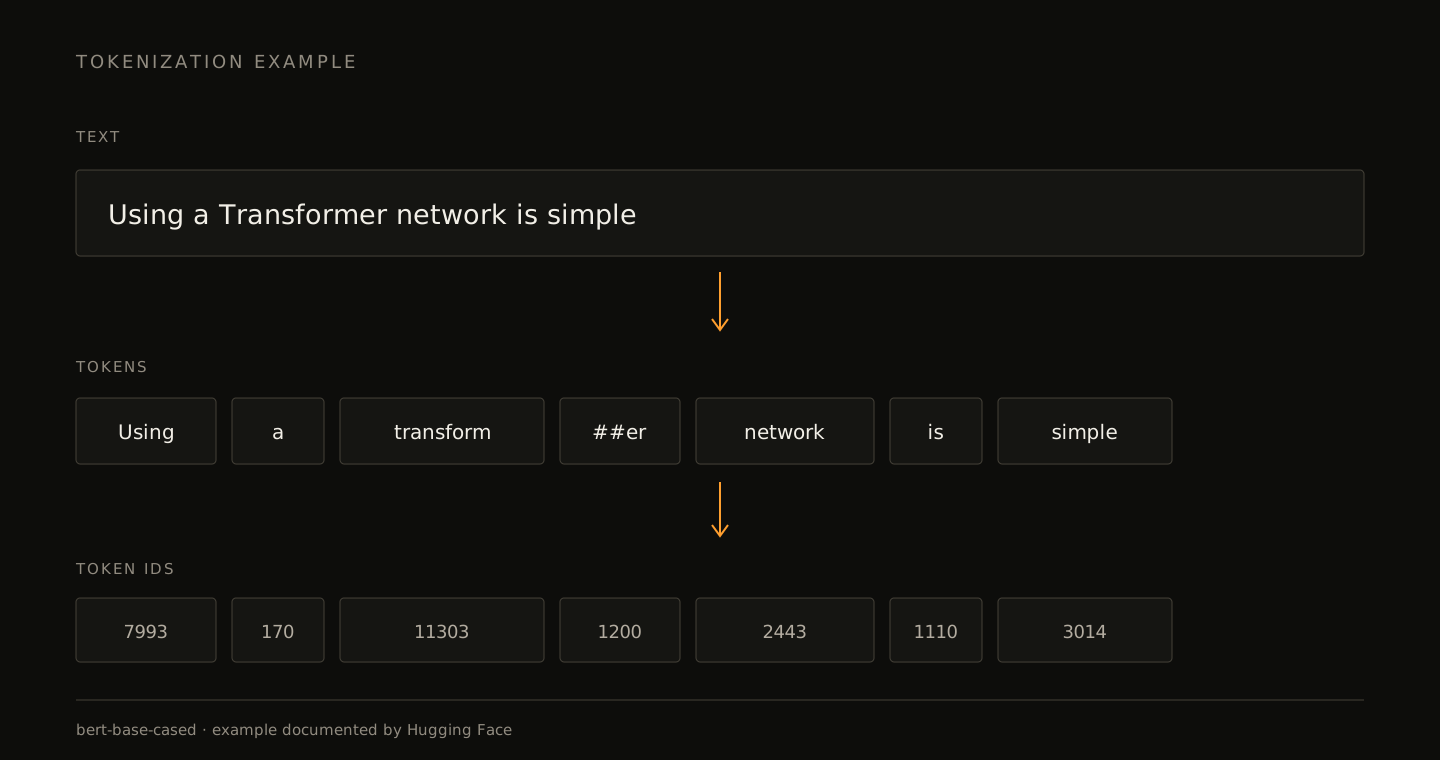
Many tokenizers use subwords. A common word may occupy one token, while another word is split into several known pieces. This lets the vocabulary represent new words without storing every possible complete word.
The same text does not necessarily occupy the same number of tokens in two models. Language, code, numbers, and punctuation can all affect the count. When a limit or price matters, use the counter for the actual model rather than a rough words-per-token rule.
Input and output
Input tokens are supplied to the inference. Output tokens are generated by the model.
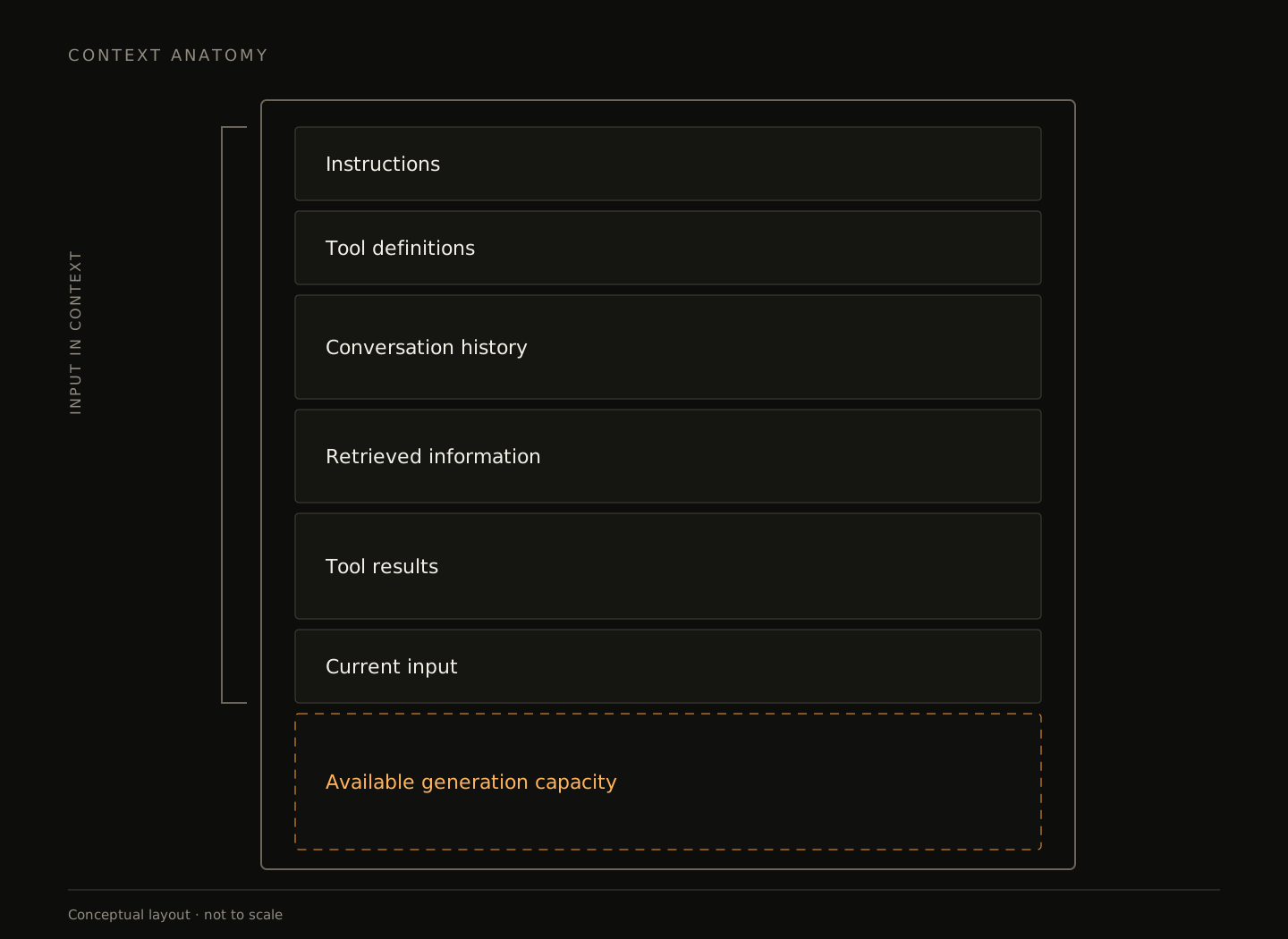
In a chat request, input is not limited to the latest user message. It may also include instructions, history, tool definitions, and retrieved content. A short answer can require a large amount of processed input.
APIs commonly use these counts for usage and pricing. Some add categories such as cached input or reasoning details, but those are not universal subdivisions represented identically by every API.
Context
Context is the information available to the model during one inference. Information outside it cannot affect that call until the application retrieves and inserts it again.
A coding-agent request may include:
- Rules from
AGENTS.md. - Conversation needed to maintain the task.
- Schemas for
read_file, shell, and other tools. - The latest test output and the file being edited.
All of this consumes context even if the interface mainly shows conversation. A shell result with thousands of lines can occupy more space than many chat turns.
Context window
A context window limits how many tokens a model can handle in one inference. In many APIs, input and the new generation share that capacity.
A nearly full window therefore leaves little room for an answer. If an application places 126K tokens into a 128K window, it should not expect an 8K response without first reducing the input.
A larger window allows more material but does not make all of it useful. Duplicates, old decisions, and irrelevant output still consume tokens and can make the important information harder to use.
In agent systems, the logical limit managed by a client and the physical limit loaded in a runtime can differ. In the Qwen3.8-27B and OpenCode run, OpenCode managed the session as 64K while LM Studio loaded roughly 81K to leave headroom for small overflows.
Session growth
In an API that resends history, each new turn may process much of the earlier conversation again. A session ending at 16K tokens does not mean the provider processed only 16K over its complete lifetime.
Agents add more sources of growth. Every tool call returns a result, file contents may be sent again on later turns, and instructions are often repeated. Filtering a log or reading a focused line range can matter more than having a huge window.
Compaction
Compaction replaces part of accumulated history with a smaller representation so the task can continue within the model’s context limit.
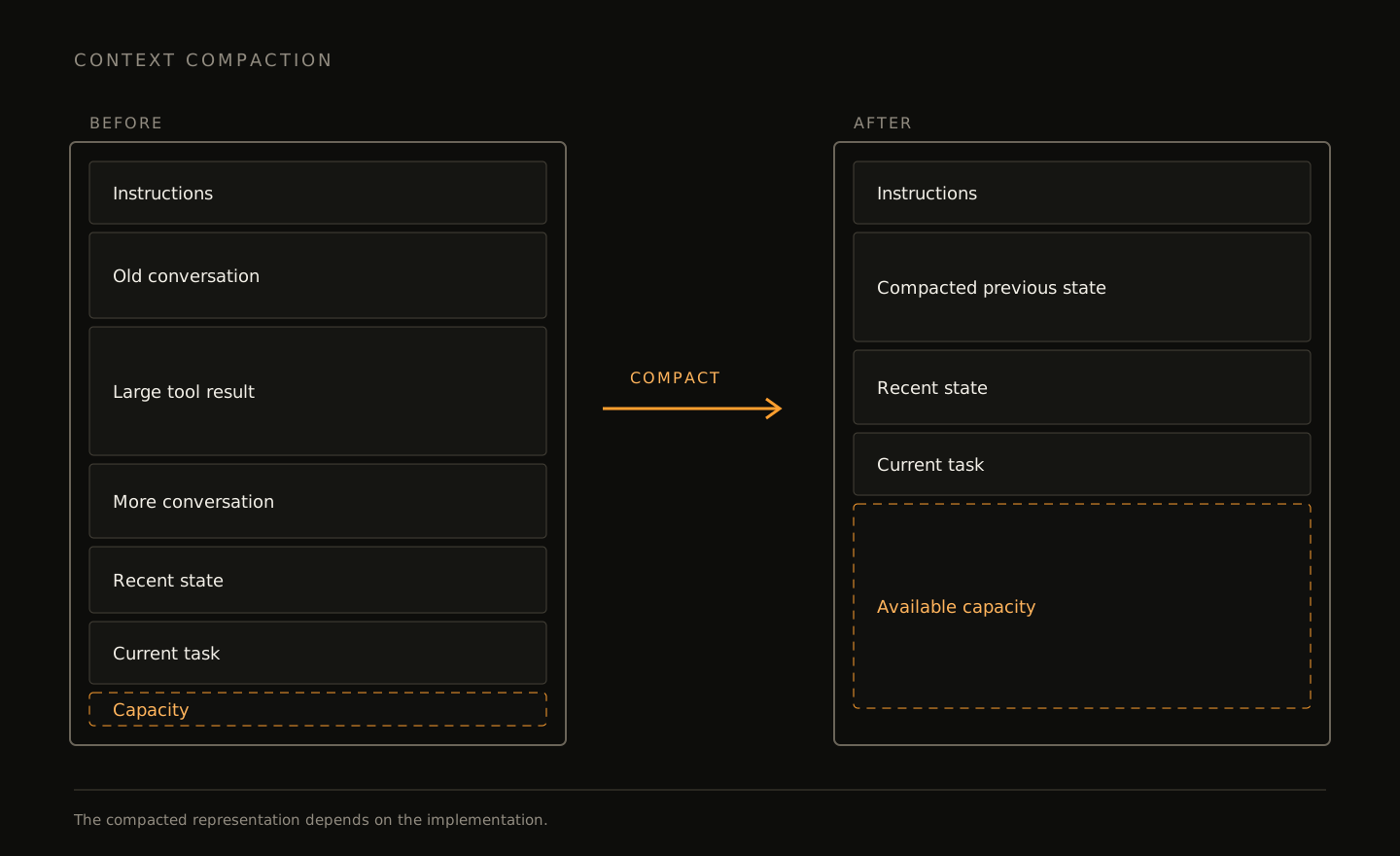
A summary may preserve the goal, completed changes, and unresolved problems. It can still lose detail. For example, it may remember that a test is failing while omitting one exact stack-trace line.
If that detail may be needed again, keep the complete log in a retrievable file. A compacted conversation cannot stand in for exact external evidence.
Truncation is simpler: old content is removed to meet the limit. Compaction attempts to preserve its useful meaning. In either case, the application must assume that some original context is no longer directly available.